A full broadcast studio
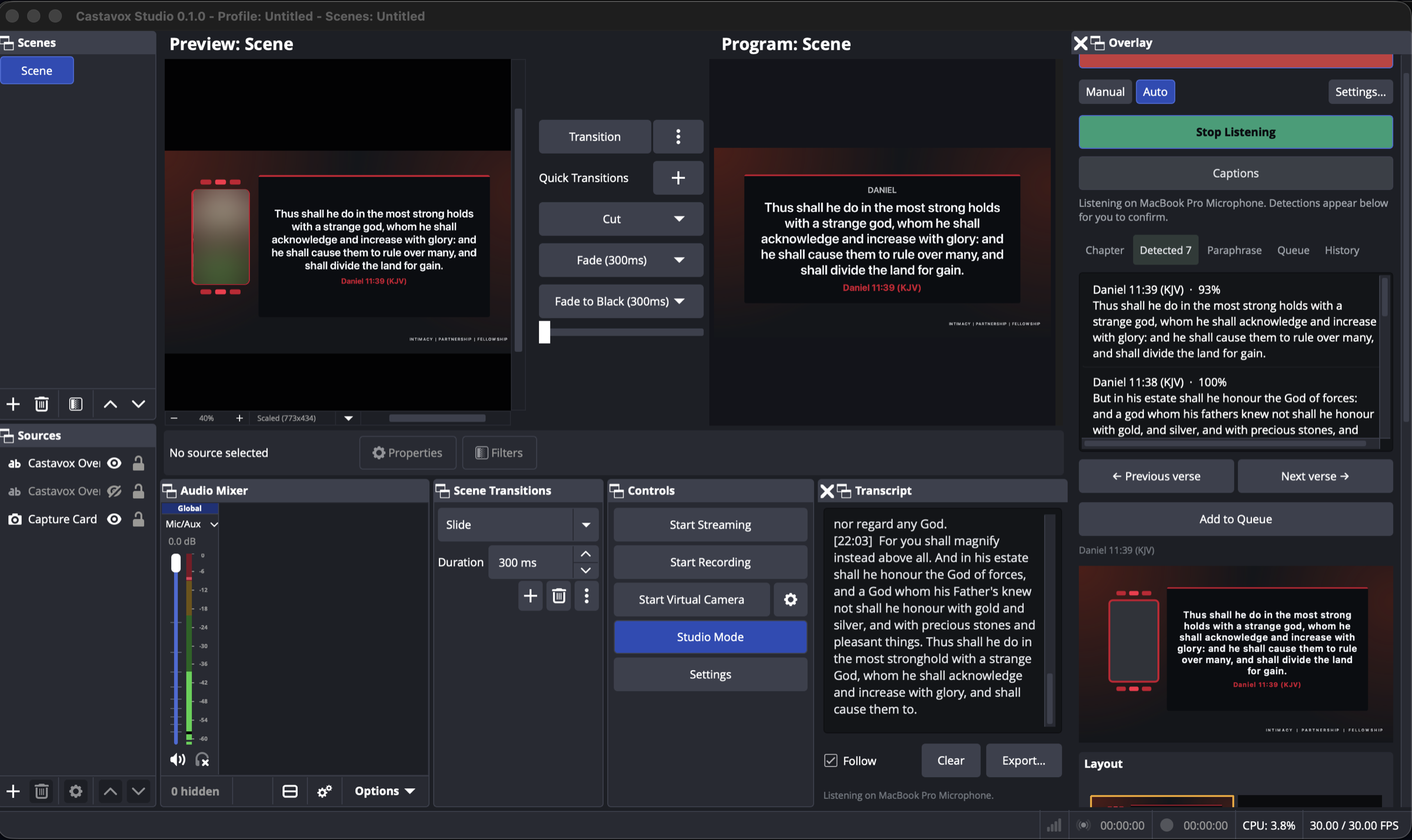
Built on OBS Studio, so scenes, transitions, filters, encoding and streaming work the way you already know, and OBS plugins load too.
<products/>
Software we build for live services: a broadcast studio that knows what is being said, and a presentation desk that puts it on screen. Both are free to download for Mac, Windows and Linux.
A broadcast studio that knows what is being said.
Everything OBS does, plus the things a live service actually needs: scripture on screen the moment it is quoted, captions for the people who need them, and a camera that keeps the speaker in frame.
For churches and broadcasters who outgrew a scene switcher.
Free to download, and transcription on your own machine is free with no hour limit. A subscription adds word-by-word streaming transcription.
Built on OBS Studio, so scenes, transitions, filters, encoding and streaming work the way you already know, and OBS plugins load too.
Quote a verse and it appears in the operator's queue, matched across every installed translation. Verses put in the speaker's own words are found too, on your own machine.
Burned into the picture for every viewer, or embedded as CEA-708 captions that viewers can turn on. Both come from the same transcript.
Give a destination a language and the service is translated and spoken on its own audio track, while the main stream stays untouched.
Stream to the main channel, an overflow room and other platforms at once, each with its own server, key and audio track, from a single video encode.
Each service is transcribed as it happens and searchable later. With a model configured, it titles and summarises the teaching, ready to export as PDF, Word, text or Markdown.
The words on the screen, before you reach for them.
Live transcription, verse detection and presentation in one operator's desk, arranged four ways for the four jobs a service is: scripture, songs, slides and media. It runs as many screens as the room has.
For the person at the back running the screens.
Transcription on your own machine is free with no hour limit. Optional plans from $20 a month add word-by-word streaming transcription.
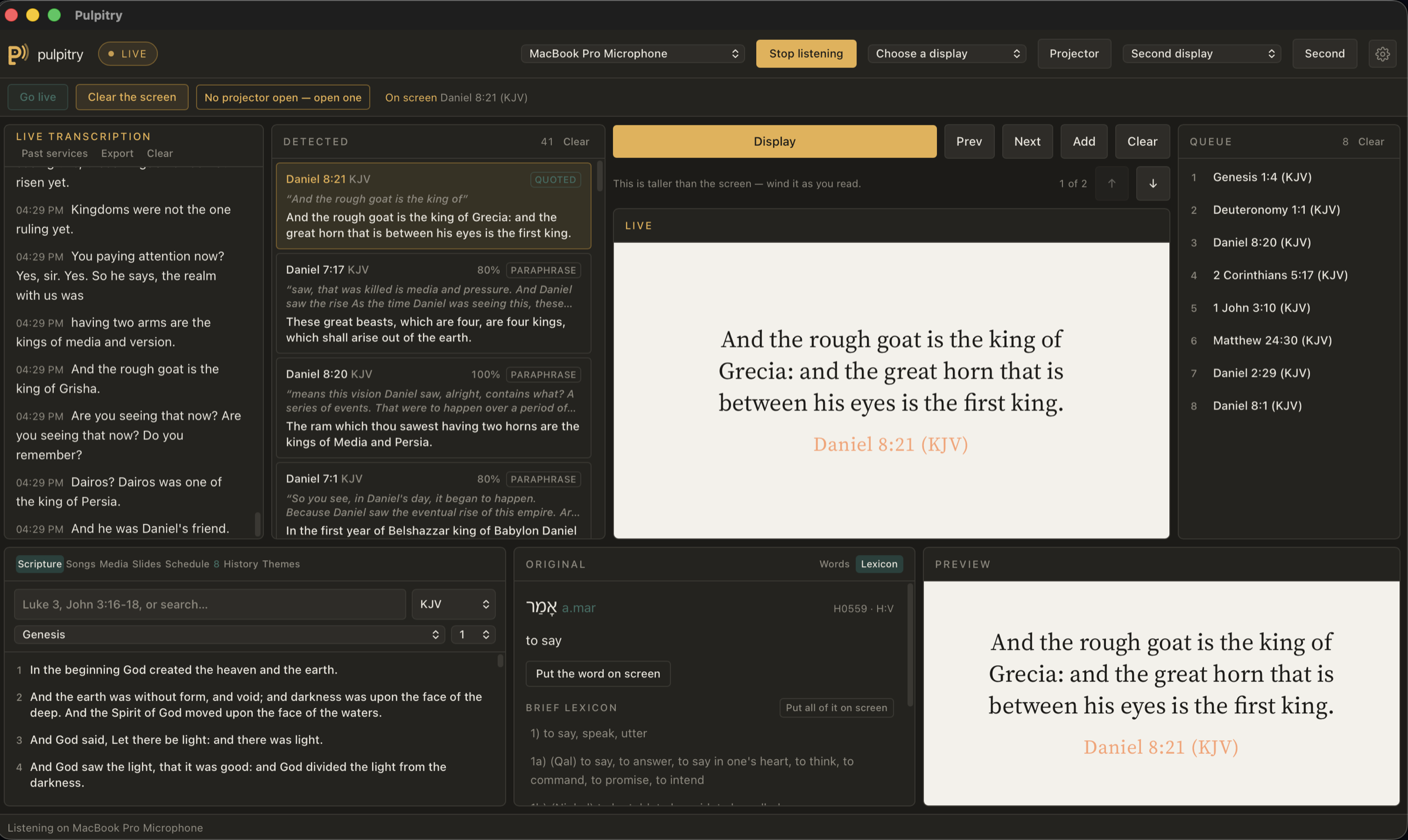
Quoted verses are matched word for word. Looser wording is matched by a model on your machine, and the two are kept apart so a guess never looks like a quotation.
Yoruba, Igbo, Hausa, Swahili, Twi, French, Spanish and Portuguese alongside English translations, plus a Catholic edition with all 73 books. Search works offline.
Stage a song and it listens to the words being sung, offering the next screen as the current line ends, and finds the right chorus when it comes round again.
Preview and Live panes, then any number of outputs, each with its own look, translation and destination: the main wall, the overflow room, the stream.
Say “next verse”, “clear the screen” or “give me the New King James” and it happens. Teach it your church's own phrases, or turn it off.
Import songs from ProPresenter, EasyWorship, OpenLP, OpenSong and OpenLyrics, and PowerPoint or PDF decks as slides. 266 public-domain hymns come with the app.
<better-together/>
Running both in the same room? Pulpitry hears the sermon and stages the verse; Castavox draws it on the streaming machine in its own design. Only the verse reference crosses the network, never a picture of the screen, so it works on church Wi‑Fi with one microphone and one transcription. Pair once with a six-character code and it reconnects on its own.
Pulpitry
Hears the sermon, detects the verse
On the projection desk
Castavox
Draws the verse in its own design
On the streaming machine
Scripture, songs, slides and the projector need no network. Only streaming transcription does.
Transcription on your own computer costs nothing and has no hour limit.
Apps built for macOS, Windows and Linux, not a web page in a wrapper.
Talk to us, or visit castavox.com for downloads, manuals and pricing.
Prefer to look around first? See our IT and AI services.